
Decorative copy-and-paste lettering: Unicode symbols substituted for letters; Bold, cursive or gothic-looking symbols
Font selection: glyphs for the Unicode characters in the text
Noto Emoji: standard Unicode emoji support, including a color emoji font
Browser fallback and glyph coverage
Selected font missing a character’s glyph → browser fallback font for that character
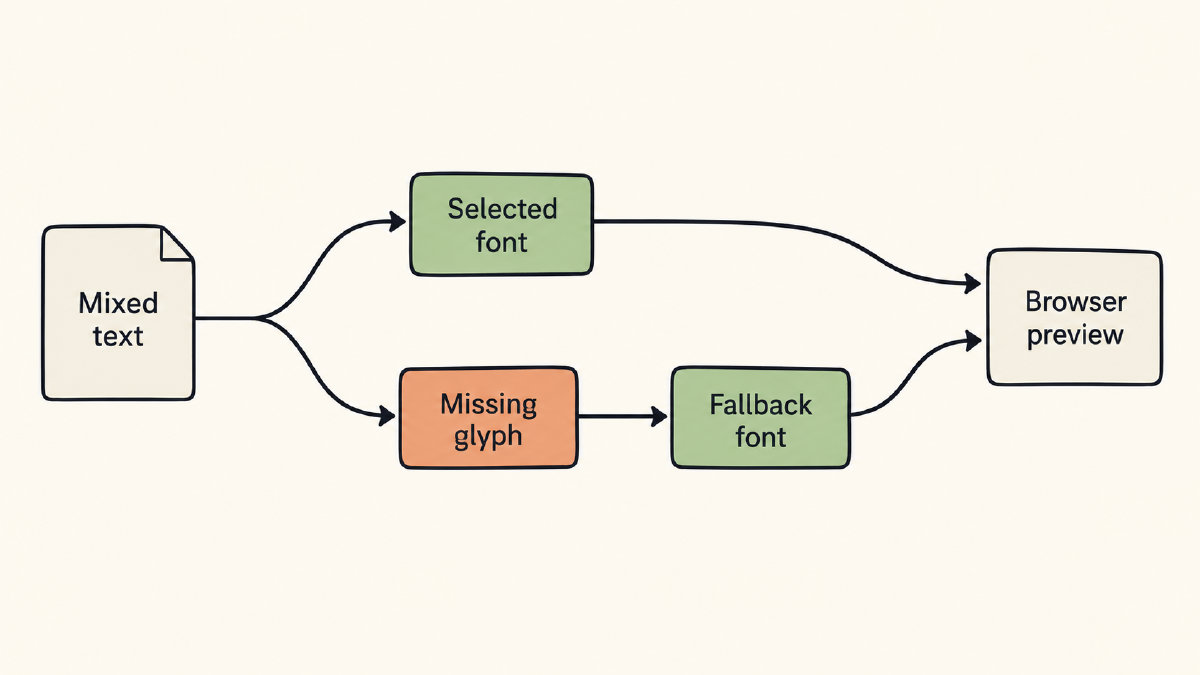
Visible or unchanged emoji: possible fallback rendering
Emoji appearance alone: insufficient evidence of coverage in the selected text font
Unicode presentation sequences
Unicode presentation sequences: FE0E for text presentation; FE0F for emoji presentation
U+2764 HEAVY BLACK HEART
2764 FE0E: text-style sequence
2764 FE0F: emoji-style sequence
Presentation requests for listed sequences
Identical cross-browser appearance not guaranteed
tomasdev, February 2026 issue comment: reported inconsistent emoji handling between browsers
Noto Emoji and Noto Color Emoji
Noto Emoji: black-and-white emoji font, under active development, available as a variable font
Noto Color Emoji: Unicode-compliant color emoji font
NotoColorEmoji usage documentation: CBDT/CBLC color-font format
Documented CBDT/CBLC support: Android and Chrome/Chromium OS
Format-specific support and reported browser differences: family name alone insufficient to guarantee rendering
FontGenerator’s browser font tester
Actual intended words and emoji entered together
Local font files compared side by side with library fonts
Accepted files: TTF, OTF, WOFF, WOFF2
up to 10 MB each
Font size and spacing
Intended font size, line height and letter spacing
Body text at 16 to 20 pixels: open shapes and even spacing
Display font: assessment at its intended large size
Line-height and letter-spacing adjustments: room needed by the font
Same sample repeated in the destination app or browser
Preview: appearance in the checked environment
glyph ownership not established
Documented tool steps and proposed checking workflow
no reported firsthand test results
Sources
- Emoji Presentation Sequences, v18.0
- unicode-emoji/emoji-variation-sequences.txt at master · samhocevar/unicode-emoji · GitHub
- GitHub - googlefonts/noto-emoji: Noto Emoji fonts · GitHub
- In Safari, some Noto Emoji are blank and some are standard OS color emoji · Issue #438 · googlefonts/noto-emoji · GitHub